// application note
AN0012 Interfacing CAN-FD devices with the Binho Pulsar
The Binho Pulsar carries a CAN-FD controller and transceiver, and its USB virtual COM port can be switched into a mode that speaks SLCAN, the ASCII serial CAN protocol. That makes it a CAN-FD adapter for the standard tooling ecosystem rather than something that needs a bespoke SDK: python-can drives it through its stock `slcan` interface, and everything built on python-can follows. This application note switches a Pulsar into CAN-FD mode, works through the SLCAN protocol it then speaks, builds a second CAN-FD node on an Adafruit Feather M4 CAN Express so there is a real bus with two participants, and establishes what actually works: classic and FD frames in both directions, 64-byte payloads with bit-rate switching, DBC-driven decoding, and the CANopen, J1939 and ISO-TP stacks. Every output in this document is a real capture, and the reference node firmware, host utility and DBC are supplied.
- Products
- Binho Pulsar
- Protocols
- CAN-FD
- Topics
- CAN-FD Bring-up
- Revision
- Rev 1.0 · November 6, 2026
// outcomes
What you'll walk away with
By the end of this document a reader with the hardware in front of them will have switched a Pulsar into CAN-FD mode, confirmed the bridge answers SLCAN, built a second CAN-FD node and matched its bit timing to the adapter, exchanged classic and 64-byte FD frames with bit-rate switching in both directions, decoded live traffic through a DBC, captured and replayed a log, and driven the bus from the CANopen, J1939 and ISO-TP stacks.
The worked example pairs a Pulsar with an Adafruit Feather M4 CAN Express. Both are exercised on hardware and every output in this document is a real capture.
This note covers Windows-native host tooling. The can-utils and SocketCAN
family, which is how the same tools are usually reached on Linux, is out of
scope: on Windows it needs a USB passthrough layer and a Linux environment, and
neither is required to use the adapter.
// background
Background
The Binho Pulsar is a USB host adapter for I2C, SPI, UART and GPIO. It also carries an NXP MCAN controller and a TJA1044GT CAN-FD transceiver, and from firmware v4.4.0 its USB virtual COM port can be put into a mode that bridges that transceiver to the host using SLCAN, the ASCII serial CAN protocol originally from Lawicel and now spoken by a wide range of adapters and tools.
That last part is what makes this worth a document. The Pulsar's Python SDK has no CAN commands at all, and none are needed: in CAN-FD mode the device behaves as a conventional SLCAN adapter, so the existing CAN software ecosystem drives it unchanged.
Table: What CAN-FD adds to classic CAN
| Feature | What it gives a design |
|---|---|
| 64-byte payloads | Eight bytes becomes sixty-four, so a record that classic CAN has to fragment across frames and reassemble fits in one |
| Bit-rate switching | The arbitration phase stays at a rate every node can follow while the data phase runs faster, because only one node is driving by then |
| Larger DLC encoding | DLC values 9 to F select 12, 16, 20, 24, 32, 48 and 64 bytes, so payloads above 8 are addressed by a step table rather than a byte count |
| Stronger frame check | A CRC sized to the payload, with a stuff-bit count, rather than the single 15-bit polynomial classic CAN uses for every length |
| Unchanged physical layer | The same two wires, the same transceivers, the same 120 Ω termination |
| Coexistence | Classic and FD frames share a bus, and a frame is classic or FD per frame rather than per bus |
Three properties of this setup determine how a host is written, and all three differ from the other adapters in this series.
Table: What differs from the other Binho host adapters
| Property | Consequence for the host |
|---|---|
| CAN-FD is a CDC mode, not an SDK command group | The mode is selected over HID and stored in flash, then the device is a dedicated SLCAN bridge. While it is, the I2C, SPI, UART and GPIO managers do not run |
| The interface is a serial line protocol | Commands are ASCII terminated by carriage return, and the device answers \r for accepted and \a for rejected. That is diagnosable with a terminal, with no library in the way |
| The host is one node on a shared bus | Unlike a point-to-point bus, frames appear unbidden, need acknowledging by somebody, and arrive while the host is busy elsewhere. Sections 8.2 and 13 are both consequences of that |
This note works through a Pulsar and a second CAN-FD node built for the purpose: switching the Pulsar into CAN-FD mode, the SLCAN protocol it speaks, building and bringing up the far-end node, proving classic and FD traffic in both directions, then driving the bus from python-can and the stacks built on it.
Nothing here requires a bespoke SDK. Every host-side step is either a line of ASCII on a serial port or a call into software that was already on the shelf.
// applicable devices
Applicable devices
CAN-FD mode is Pulsar only. The Binho Supernova's microcontroller has no MCAN peripheral, and its firmware rejects the mode. The host-side material applies to any SLCAN adapter; the node firmware applies to any board built on a SAM E51 with its CAN1 pins brought out.
// what's covered
What's covered in the note
- 01 Introduction
- 02 Required equipment and software
- 03 Switching the Pulsar into CAN-FD mode
- 04 The SLCAN protocol
- 05 The far-end node
- 06 First traffic
- 07 The demo node's message catalogue
- 08 Driving the bus from python-can
- 09 Decoding with a DBC
- 10 Higher-level stacks
- 11 Measured results
- 12 The reference material
- 13 Practical notes
- 14 Troubleshooting
The full procedure, measured results, and reference code are in the PDF and the assets archive.
// materials
What you'll need
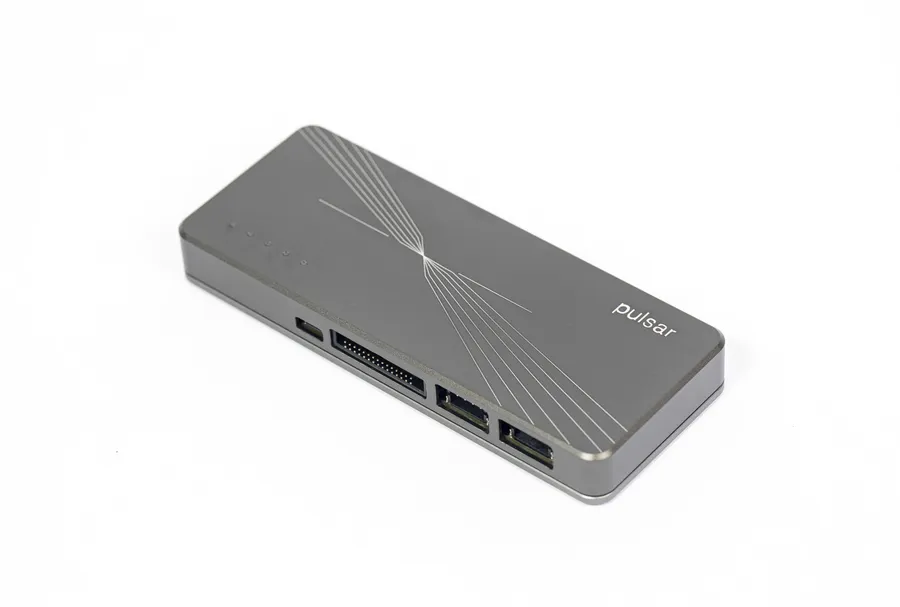 Binho Pulsar USB host adapter for I2C, SPI, UART, GPIO & CAN-FD View product
// trusted by engineering teams at














+ hundreds more
// related notes
Related Application Notes
// newsletter
Get new application notes
New notes, firmware releases, and tool updates from Binho. No spam, unsubscribe anytime.
Put it on the bench
Every step in AN0012 was run on the Binho Pulsar. Get the hardware to reproduce it, or talk to our engineers about your CAN-FD bring-up.