Built for your hands. Ready for your agents.
Real hardware access for every AI coding tool. Drive I2C, SPI, I3C, and UART on live silicon.
// ai native
From manual to fully autonomous.
One unopinionated SDK that meets you where you are: a precise bench instrument on its own, and a first-class set of hands for whatever AI you run, from the occasional autocomplete to a fully autonomous agent.
By hand
A precise bench tool, no AI required. Point and click in the Mission Control GUI, or script it yourself in Python or C.
AI-assisted
Let the AI ride shotgun. Copilot or Cursor completes the calls and explains the bus while you stay in control.
Autonomous
Hand over the whole task. Turn an agent loose to bring up the board and report back, then review the result.
// featured example
One prompt. The whole job.
We handed Claude Code one sentence and a Supernova on the bench. No canned demo: it set up its own environment, learned the SDK, drove real silicon, and reasoned about the result against the MIPI I3C spec.
// the prompt
Use the Supernova to initialize the I3C bus at 12.5 MHz, tell me the PIDs of the devices on the bus, and let me know if any support HDR modes.
A real Claude Code session driving a Supernova over I3C, sped up from 6 minutes 7 seconds of real time. One prompt, no human help.
// the result
=== Binho Supernova I3C bus scan ===
SN 4F97…E91111 · HW C · FW 4.4.0

[ok] bus voltage: 3.3 V
[ok] controller: 12.5 MHz push-pull
[ok] dynamic addressing: ENTDAA, 0 invalid
[ok] target table: 1 device

device @ 0x08
  PID  0x02080070120B   MIPI mfg 0x0104, vendor-fixed
  BCR  0x07
  DCR  0x44

HDR: none. BCR[5] = 0, no advanced capabilities.
// what it did
01
Set up its environment.
Spotted the Supernova and installed the SDK in a fresh virtualenv.
02
Learned the SDK.
Found the right calls itself: voltage, clock, ENTDAA, target table.
03
Ran it on real silicon.
Used the Supernova as an I3C controller to bring up the bus, then scanned it.
04
Reasoned from the spec.
Checked BCR bit 5 for HDR, and flagged its own caveats.
No code. In 6 minutes 7 seconds it taught itself I3C, drove the bus, and explained the result.
// use cases
What teams do with it.
// bring-up
First power-on.
Power a fresh board, assign I3C addresses, and confirm every device answers, before a line of application code is written.
// characterization
Identify the unknown.
Read PID, BCR, and DCR off a target and have the agent report exactly what it is and which modes it supports.
// regression
Hardware in the loop.
Run real bus transactions on real silicon inside your CI pipeline, so a regression fails the build instead of the customer.
// drivers
Write, then prove.
Let an agent draft a driver, exercise it against the live device, and fix what the hardware actually rejects.
// how it works
No magic. Just a clean interface.
One API.
Python, C, C++, and C#. Each adapter ships its own library, but the calls are identical, so code you write for one runs on the next.
Any agent.
Claude Code, Cursor, Copilot, or your own harness. They run code and shell; the SDK is just code.
Headless and CI.
No GUI required. The same scripts run on your bench, on a remote rig, or in your pipeline.
Built to be discovered.
The SDK is open on GitHub and fully documented online, with I3C examples and explanatory comments throughout. An agent reads what it needs and gets to work. No datasheets to hand it first.
// start in seconds
$ pip install supernovacontroller

from supernovacontroller.sequential import SupernovaDevice

dev = SupernovaDevice()
dev.open()

i3c = dev.create_interface("i3c.controller")
i3c.set_bus_voltage(3300)
i3c.init_bus()                 # power + dynamic addressing
_, targets = i3c.targets()     # every device on the bus
Connect a Supernova and you are scanning the I3C bus in a few lines. Hand the same script to your agent and it takes over.
Works with the AI tools you already use





// faq
Common questions.
Is a subscription or license fee required?
No. When you buy a Binho adapter, everything is included: the Mission Control desktop software, the Python, C, C++, and C# libraries, and all future updates, at no additional cost. There are no maintenance fees, subscriptions, or per-seat licenses. You bring your own AI tool, such as Claude Code or Cursor, and pay for that directly through its vendor.
What makes this work better with agents than other tools?
An agent is only as good as the context it can reach. Our SDK is open on GitHub and fully documented online, so an agent can read the source, the examples, and the reference docs directly and learn the tool without slow trial and error. For I3C in particular, we put extensive examples and explanatory comments in the code and docs to flatten a famously steep learning curve. Nobody has to gather datasheets, PDFs, or other artifacts to feed it context first. The one-line prompt shown above was enough for the agent to succeed on its own.
Can an AI agent actually control real hardware?
Yes. A Binho USB host adapter gives any code-running agent a clean, scriptable path to drive I2C, SPI, I3C, and UART on live silicon and read the results back. The agent works the bus the same way it writes the rest of your code.
Which AI tools does it work with?
Any tool that can run code or a shell: Claude Code, Cursor, GitHub Copilot, Gemini, plus your own scripts and CI. The SDK is plain Python, C, C++, and C#, so there is nothing proprietary to integrate.
Do I need AI to use it?
No. Every adapter is a full bench instrument on its own. Point and click in the Mission Control GUI, or script it by hand. AI is an option, not a requirement.
Which adapter should I use for agentic development?
The Supernova for I3C plus I2C, SPI, and UART; the Pulsar for multi-protocol work including RS-485 and CAN-FD. Each has its own library, but they share the same API, so your agent code is portable between them.
How do I get started?
Run pip install supernovacontroller, connect the adapter, and you are driving the bus in a few lines of Python. Point your agent at the SDK and let it take over from there.
// products
Connect your hardware to AI.
Pick the adapter that covers your protocols; the API and workflows are identical across both.
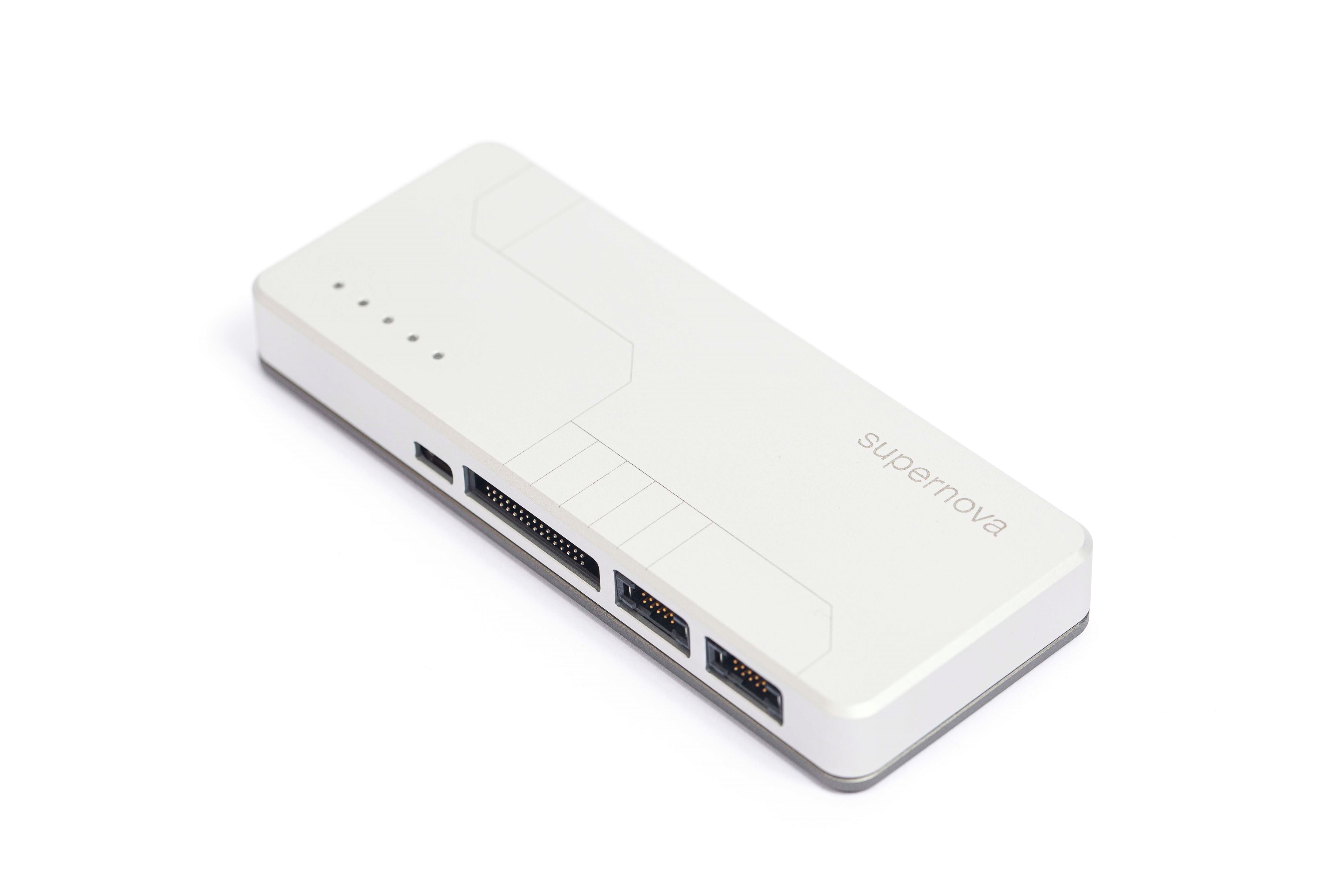
Binho Supernova
I3C-Capable Host Adapter
Protocols
Software
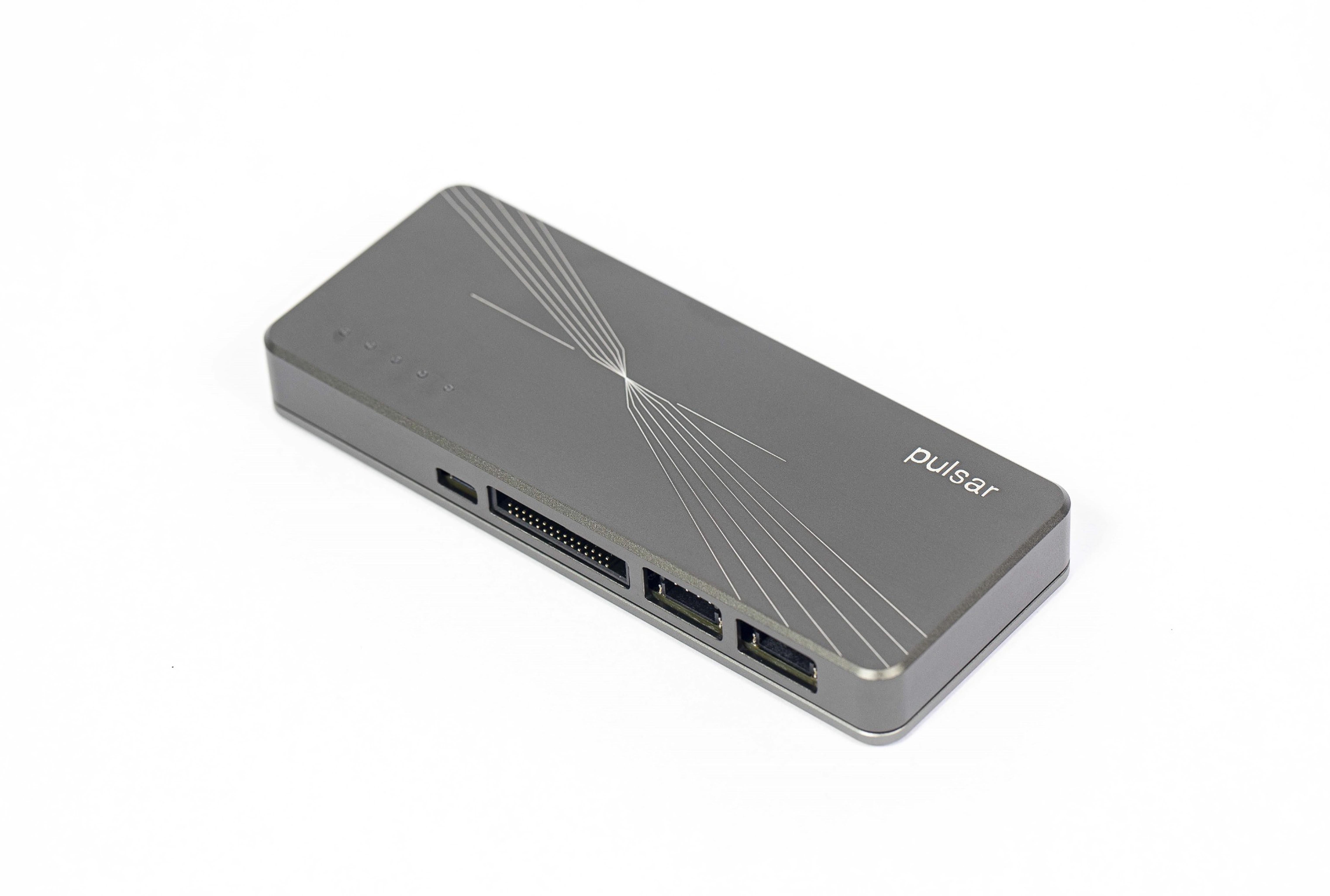
Binho Pulsar
Multi-Protocol Host Adapter
Protocols
Software
Trusted by engineering teams at











Put your bench to work.
Pick up a Supernova or Pulsar and give your AI access to the real hardware.