// ni usb-845x alternative
The modern alternative to the NI USB-845x.
Replacing an NI USB-8451 or USB-8452? The Binho Pulsar is one modern host adapter that does the same I²C and SPI work, adds UART, RS-485, GPIO, CAN-FD, and 1-Wire, and runs on every OS with free software, no Windows or LabVIEW required.
Ships worldwide · Windows, macOS, Linux · Royalty-free SDK · US-based engineering support

// every bus
The USB-845x devices do I²C, SPI, and a few DIO lines. Pulsar adds UART, RS-485, GPIO, CAN-FD, and 1-Wire, all standard, so one adapter covers the whole bench.
// runs everywhere
The NI-845x driver is Windows only, built around LabVIEW. Mission Control 3 runs natively on every OS and from a browser tab, with no LabVIEW and no NI license.
// lower cost
A new USB-8452 runs about $1,300, and the USB-8451 is discontinued. Pulsar does more, for roughly half, with free cross-platform software included.
// which are you replacing?
Pick your NI device.
Know which adapter you are moving off of? Jump straight to the detailed head-to-head. Not sure yet? The full side-by-side comparison is just below.
// end of life
vs NI USB-8451
Discontinued and Windows-locked. Pulsar is the in-stock, cross-platform replacement, roughly 40× the host bandwidth and 4× the I²C and SPI speed.
Pulsar vs USB-8451// cross-platform
vs NI USB-8452
Match its 50 MHz SPI, add every other bus, and run free software on any OS, for roughly half the price and no NI ecosystem lock-in.
Pulsar vs USB-8452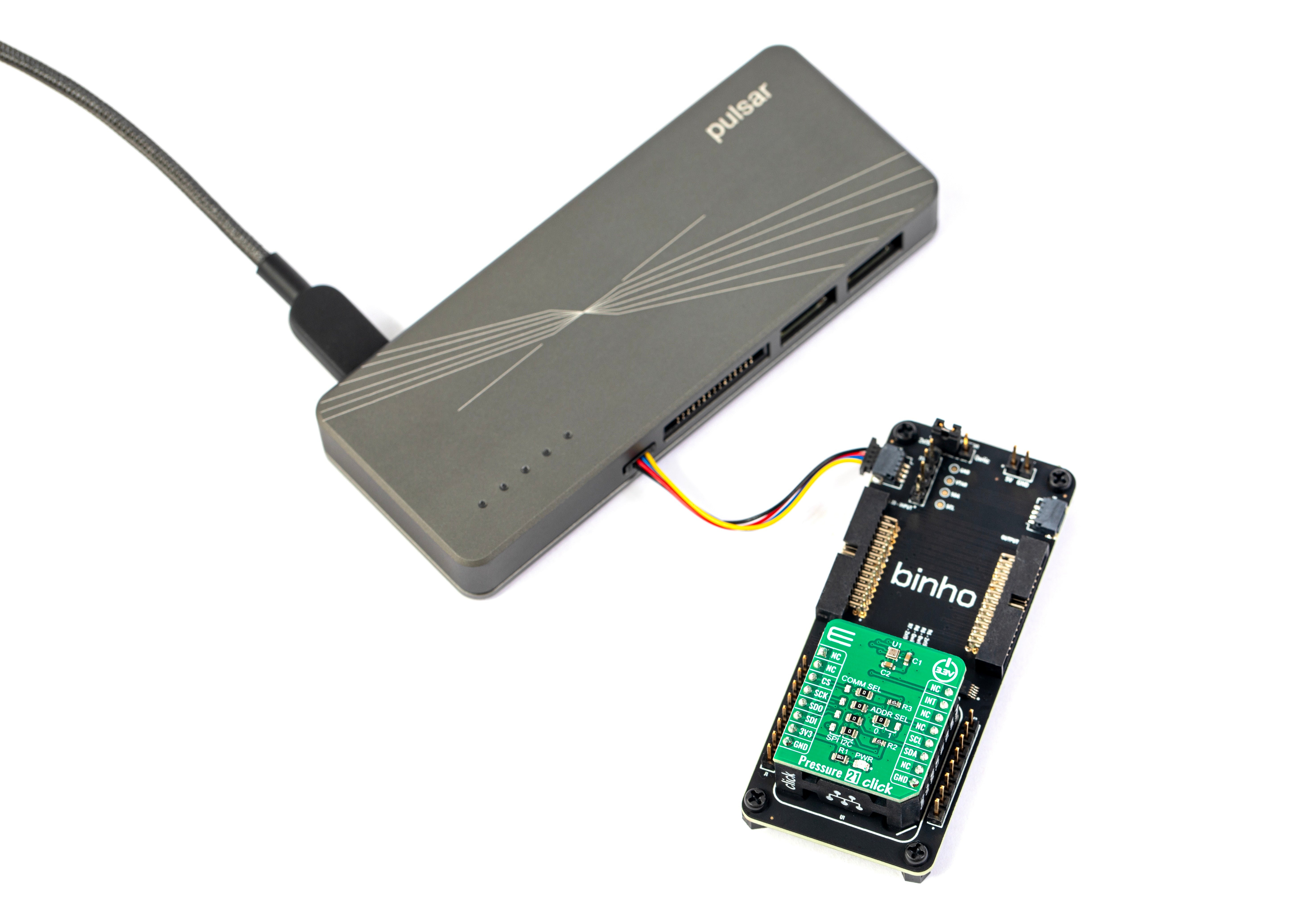
// i²c and spi
Talk to any I²C or SPI device.
I²C
1 MHz max- Controller and Target
- Two independent I²C buses
- 7-bit and 10-bit addressing
- Clock stretching
- Configurable pull-up resistors
- 16 KB max transaction size
SPI
50 MHz max- Controller and Target
- Up to 16 MHz (peripheral mode)
- All four SPI modes
- Up to 4× chip-select signals
- Configurable MSB / LSB
- 16 KB max transaction size
// head to head
Pulsar vs the NI USB-845x lineup.
| Binho Pulsar | NI USB-8451 | NI USB-8452 | |
|---|---|---|---|
| // Hardware & protocols | |||
| Availability | In stock | Discontinued | Current |
| Host link | USB 2.0 HS, 480 Mbps | USB Full Speed, 12 Mbps | USB 2.0 HS, 480 Mbps |
| SPI clock | 50 MHz controller / 16 MHz peripheral | 12 MHz | 50 MHz |
| I²C speed | 1 MHz | 250 kHz | 3.34 MHz |
| I²C pull-ups | On-board, configurable | External required | On-board |
| I²C target mode | Controller + target | No | Yes |
| Other protocols | UART, RS-485, GPIO, CAN-FD, 1-Wire | 8 DIO lines | DIO lines |
| Signal voltage | 1.2 to 3.3 V | 3.3 V only | 1.2 to 3.3 V |
| Enclosure | Machined aluminum | Plastic | Plastic |
| // Software & cost | |||
| Operating systems | Windows, macOS, Linux, browser | Windows only | Windows only |
| No-code GUI | Mission Control 3 · free | Script in LabVIEW / C | Script in LabVIEW / C |
| Memory programmer | Visual hex editor | None | None |
| Browser web app | Yes | No | No |
| Device SDKs | Python · Java · C / C++ / C# | C · LabVIEW · .NET | C · LabVIEW · .NET |
| Price | $349 | Discontinued | ~$1,300 |
// trusted by engineering teams at














+ hundreds more
Ready to accelerate development?
or keep scrolling to learn more
// memory programming
Program EEPROM and SPI FLASH memories with ease.
Reading and writing I²C EEPROMs and SPI flash is one of the top use-cases for host adapters. With the USB-845x you script it yourself in LabVIEW or C. Mission Control 3’s Memory Programmer does it with a visual hex editor, per-chip presets, read / write / verify / blank-check / erase, and binary file load and save, no code required.
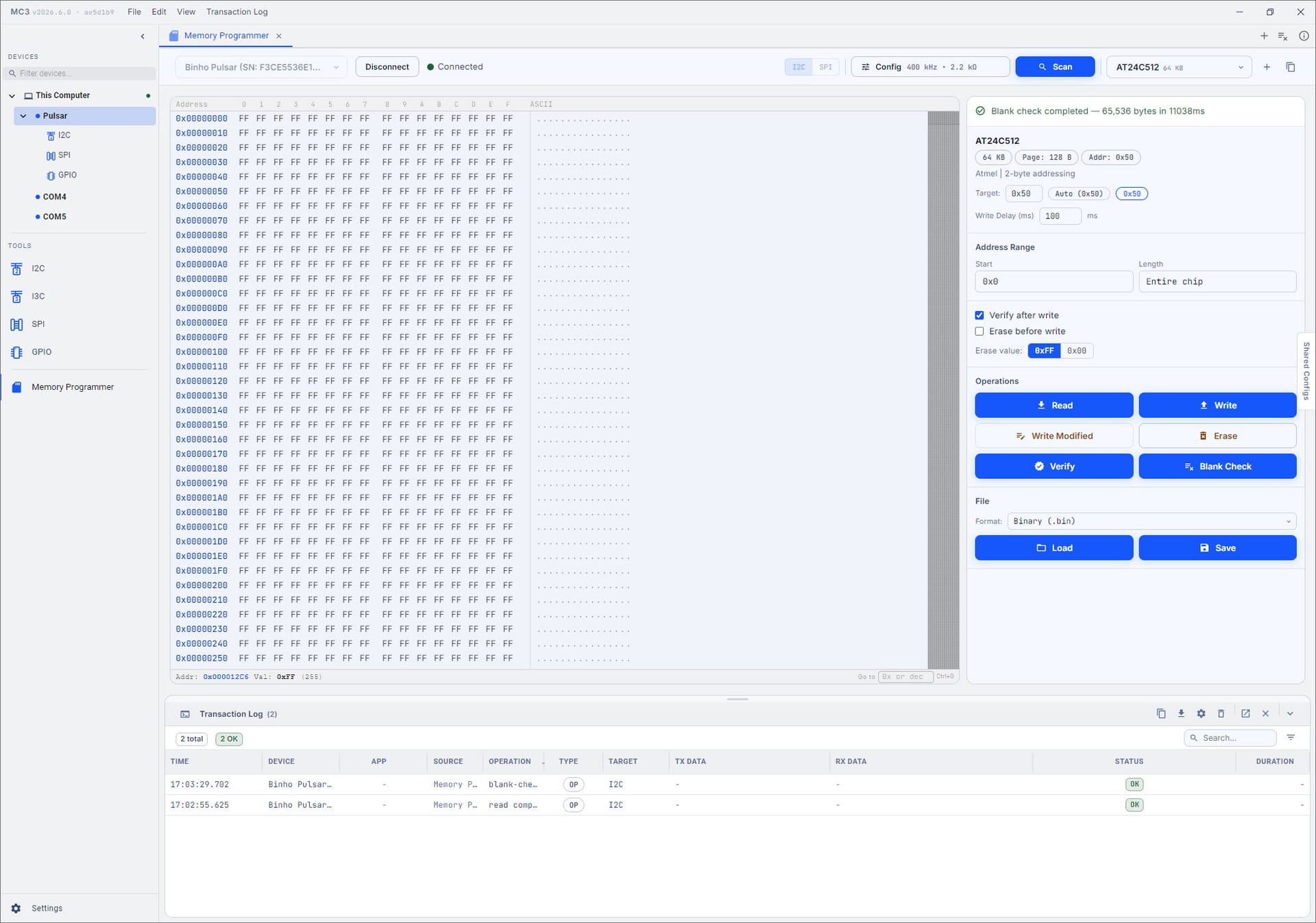
// every os
macOS included.
Runs natively on Windows, macOS, and Linux. The NI-845x driver is Windows only, so Mac and Linux users are stuck in a VM.
// in your browser
Or no install at all.
Program straight from a browser tab. Nothing to download, nothing to license, on any machine.
// try it now
Test drive it today.
Launch a simulated device in the web app and read, write, and verify right now, before your Pulsar even ships.
// see it in action
Drive I²C without writing code.
Mission Control 3 turns bus work into point-and-click. Compose a transaction and run it, then chain a whole sequence and fire it in one go.
// point and click
Run a transaction with a click.
Compose an I²C read or write in the GUI and send it straight to your device.
// sequences
Chain them into a sequence.
Line up a series of transactions and run them together, repeatable and ready to replay whenever you need them.
// get mission control 3
Get Mission Control 3.
Try it right now in your browser with a simulated device, no hardware required, or install the desktop app for Windows, macOS, or Linux.
Launch in your browser// or download the desktop app · v2026.8.1
// in the box
Everything you need. Running in under a minute.
Every cable, adapter, breakout, and mounting accessory ships in a protective case. Plug in over USB-C and you are on the bus, with no extra parts to source.
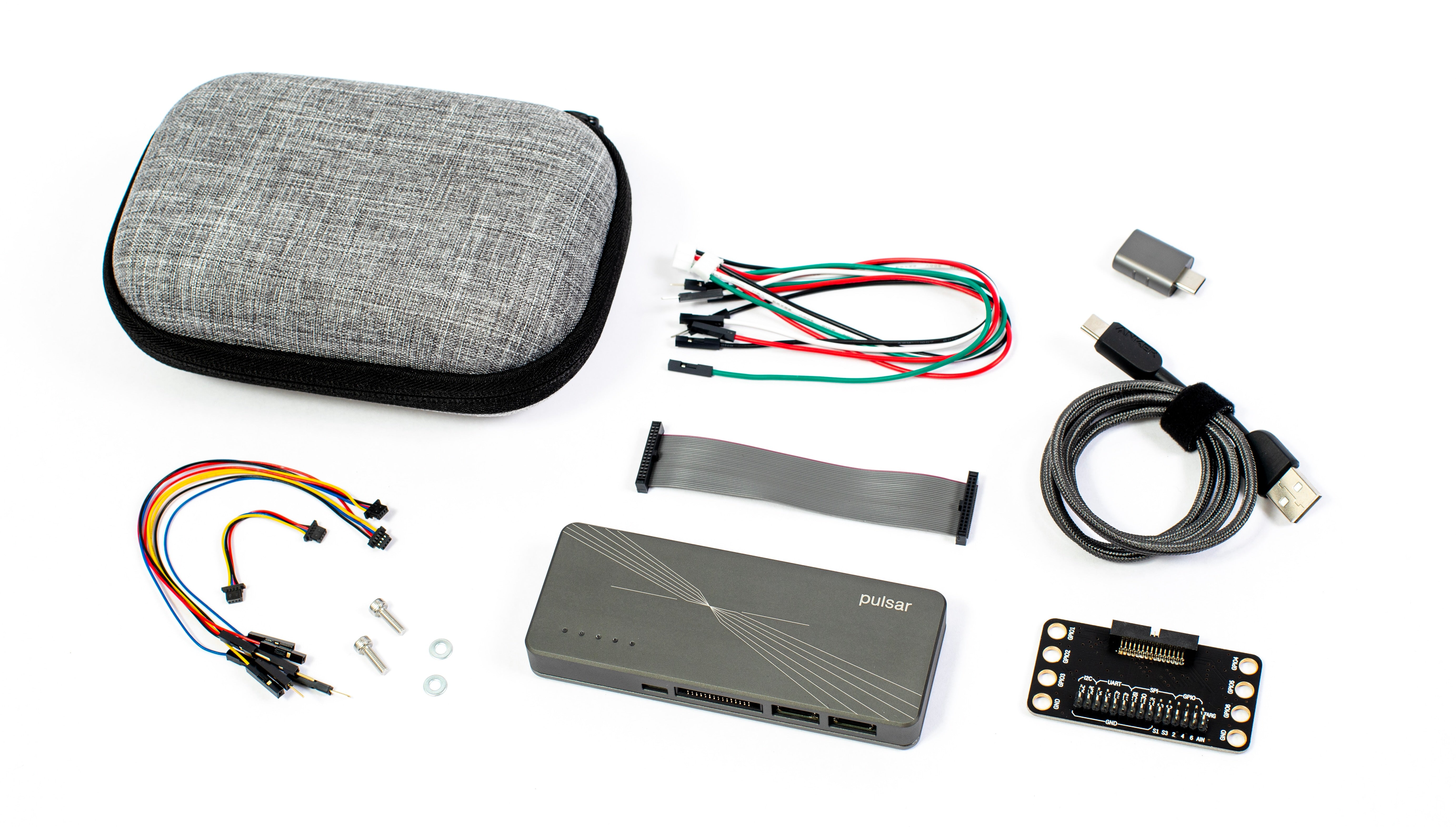
1× Binho Pulsar USB Host Adapter
Differential Port Kit
- 1× 4-pin JST PH cable with female headers
- 1× 4-pin JST PH cable with male headers
Dedicated I2C Port Kit
- 1× 4-pin JST SH (Qwiic-compatible) to 4-pin JST SH cable
- 1× 4-pin JST SH (Qwiic-compatible) cable with male headers
- 1× 4-pin JST SH (Qwiic-compatible) cable with female headers
Multifunction Port Breakout Kit
- 1× 30-conductor IDC ribbon cable
- 1× ribbon cable to 2.54 mm pitch header breakout board
USB Kit
- 1× USB Type-C to Type-A cable
- 1× USB Type-A to Type-C adapter
Mounting Kit
- 2× mounting screws
- 2× washers
1× Custom protective zippered carry case
Supercharge embedded development!
// mipi i3c
Need MIPI I3C? Binho can help.
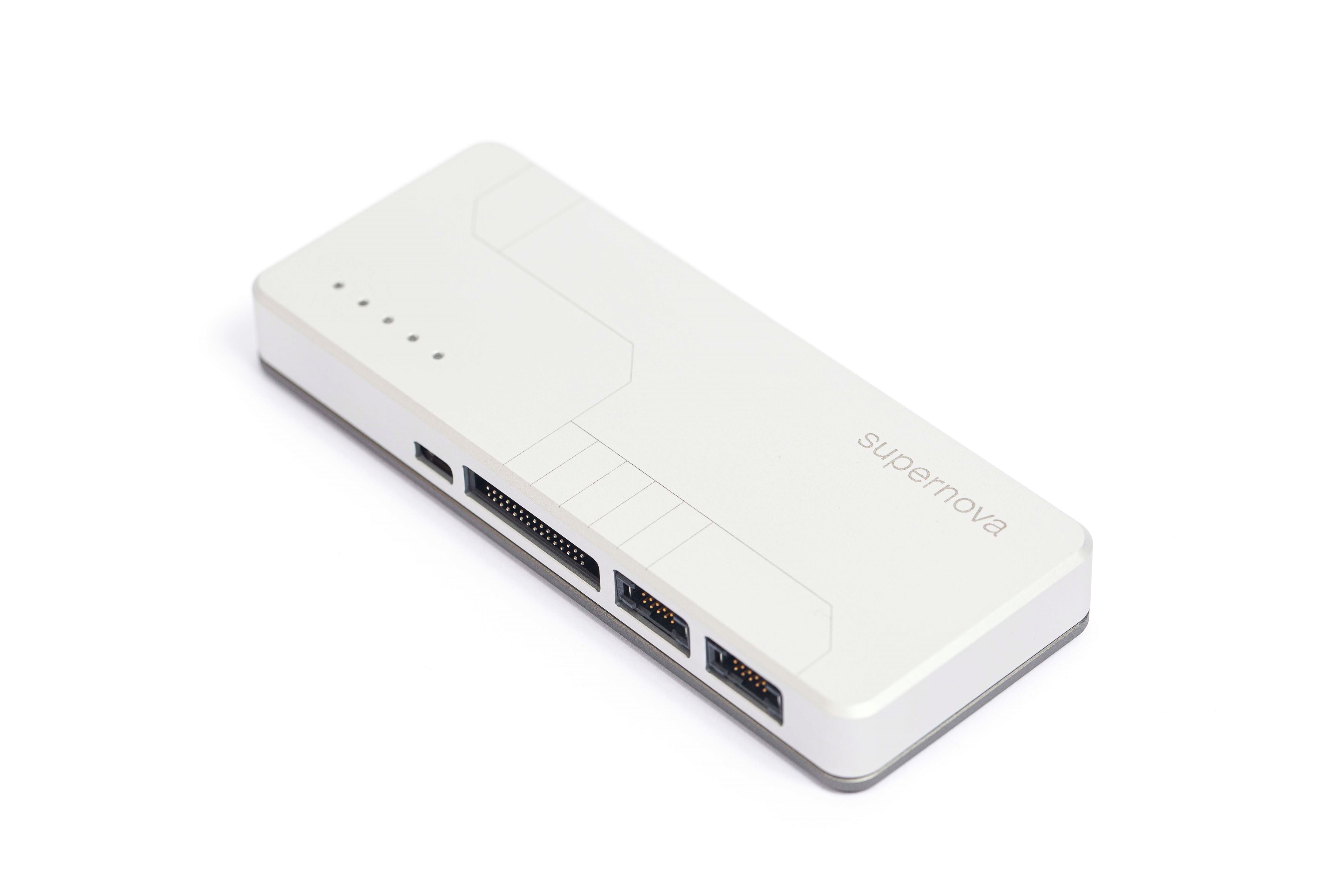
Neither NI USB-845x device, the USB-8451 or the USB-8452, speaks MIPI I3C. The Binho Supernova does, adding I3C alongside I²C, SPI, UART, and GPIO, on the very same Mission Control 3 software as the Pulsar.
And I3C is our specialty, not an afterthought. As the industry begins migrating NVMe-MI / MCTP over I3C, Binho tools accelerate your development rather than the legacy tools that will slow it down.


// ai native
Ready for your agents.
An open, fully documented SDK lets an AI agent drive real silicon over I2C, SPI, UART, RS-485, and CAN-FD, learning the whole API from a single prompt. It is the kind of modern workflow a legacy adapter was never built for.






// the prompt
Use the Pulsar to scan the I2C bus, read the EEPROM at 0x50, and tell me what is stored there.
One sentence in. The agent learns the API, runs it on real silicon, and reports back.
// faq
Common questions.
Is the Binho Pulsar a good alternative to the NI USB-845x devices?
Yes. The Pulsar is a modern multi-protocol host adapter that covers the I²C and SPI work you rely on the USB-8451 and USB-8452 for, over a 480 Mbps USB 2.0 High Speed link, and adds UART, RS-485, GPIO, CAN-FD, and 1-Wire. Unlike the NI-845x driver, which is Windows only, Mission Control 3 is free and runs on Windows, macOS, and Linux, with no LabVIEW and no NI license.
Which NI device does the Pulsar replace?
Both. It is an in-stock, cross-platform replacement for the discontinued USB-8451, and a lower-cost, more capable alternative to the current USB-8452. Pick the head-to-head comparison above that matches the device you are replacing for a detailed breakdown.
Do I need Windows or LabVIEW to use the Pulsar?
No. The NI-845x driver for the USB-8451 and USB-8452 runs on Windows only and is built around the LabVIEW / C ecosystem. Mission Control 3 is a free app for Windows, macOS, and Linux, with a no-code GUI and Python, Java, and C/C++/C# SDKs, plus a browser version. No LabVIEW, no NI license.
What do the NI devices do that the Pulsar does not?
Mainly one thing: the USB-8452 reaches a higher I²C top speed than the Pulsar (3.34 MHz vs 1 MHz). If you specifically need High-speed-mode I²C, the 8452 fits that. Everything else, including I²C target and SPI peripheral operation, the Pulsar now covers, with far more buses, cross-platform software, and a lower price.
Does the Pulsar support MIPI I3C?
No, and neither do the NI USB-845x devices. If you need MIPI I3C, reach for the Binho Supernova: it adds I3C alongside I²C, SPI, UART, and GPIO, and runs on the very same Mission Control 3 software and SDKs as the Pulsar, so moving between them is seamless.
Explore the Binho Supernova