// usb-to-i2c adapter

The USB-to-I²C adapter, done right.
The Binho Pulsar interfaces your PC with any I²C bus: quality hardware, desktop software worth using, and a modern SDK.
Ships worldwide · Windows, macOS, Linux · Royalty-free SDK · US-based engineering support
// capabilities
Everything a host adapter should do. And more.
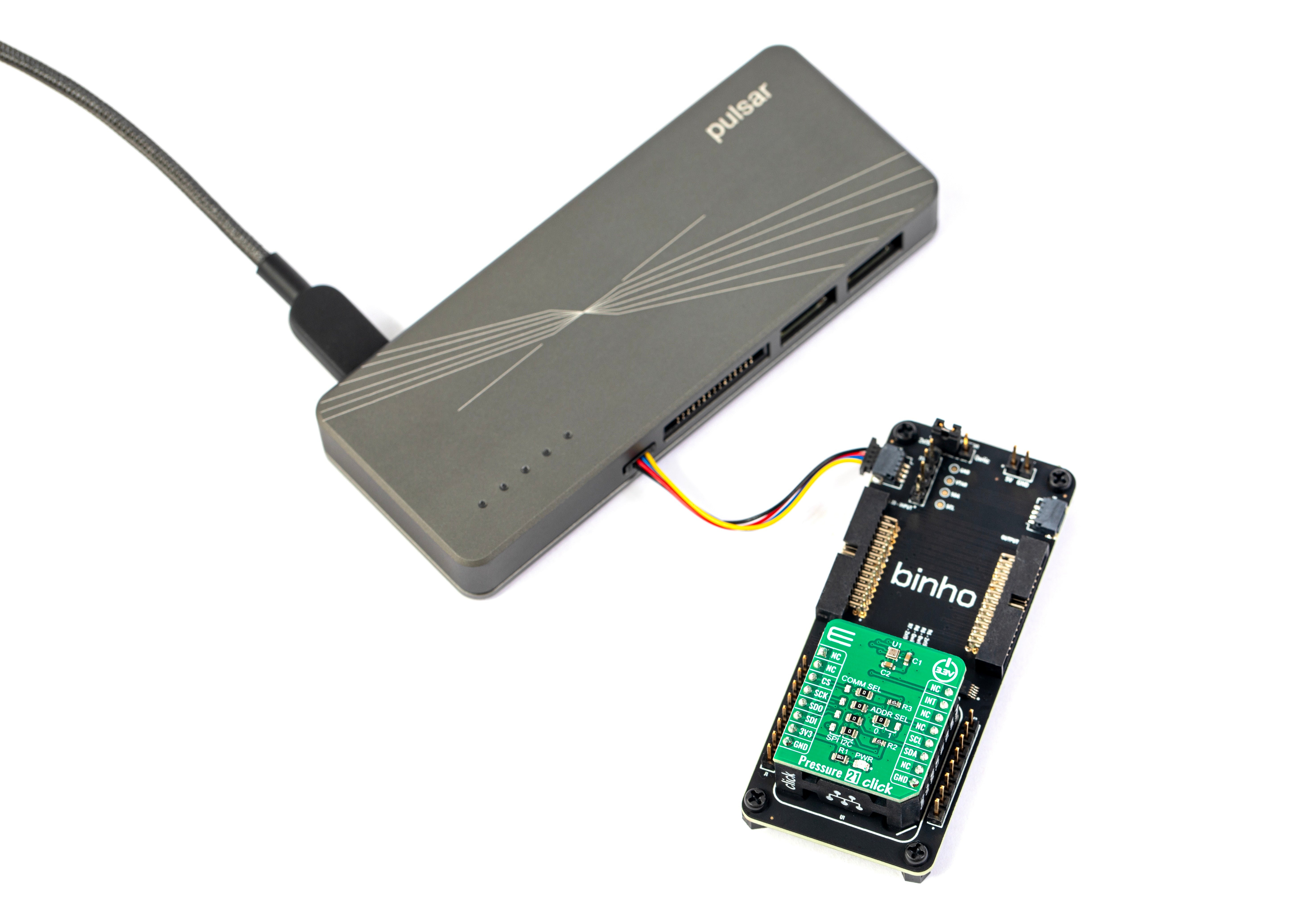
The Pulsar is the I²C controller on your bus, driven from your PC over USB. No firmware, no target board, no microcontroller in the loop.
// scan
Scan the bus
One click enumerates every device on the bus, with its 7-bit address and ACK status.
// read / write
Read and write
Compose reads, writes, and repeated-start transactions and watch them land byte for byte.
// pull-ups
Pull-ups built in
Configurable on-board pull-ups and 1.2 to 3.3 V signaling. No external parts on the breadboard.
// any peripheral
Any I²C peripheral
Bring up and validate any sensor, PMIC, EEPROM, or RTC, from a sanity check to a full register map.
- Max clock
- 1 MHz
- Speed modes
- Standard · Fast · Fm+
- Role
- Controller & Target
- Addressing
- 7-bit / 10-bit
- Clock stretching
- Supported
- Pull-ups
- User-programmable
- Max transfer size
- 16 KB
- Logic levels
- 1.2–3.3 V
- Host interface
- USB 2.0 High Speed
- Bandwidth
- 480 Mbps
- Connector
- USB Type-C
- DUT power
- 1.2–3.3 V, programmable
- GPIO
- 6 dedicated pins
- Other protocols
- SPI · UART · RS-485 · CAN-FD · 1-Wire
// interfaces
Drive it the way you work.
Point and click, script it, or build it into your own tools. One adapter, three first-class interfaces, all on the same hardware.
// point & click
Mission Control 3
Compose transactions, program memory, and read results in a desktop app or right in your browser. No code required.
// automate
Python
Official PyPI packages put the whole device in your test scripts and CI, in the language your team already automates with.
// integrate
Cosmic SDK
Native SDKs to embed the Pulsar in production test systems and factory software, across four languages.
// mission control 3
Point, click, and go. No code.
Use our cross-platform desktop app for easy point-and-click transfers and reading/writing EEPROM and Flash memories. Runs on Windows, macOS, Linux, and even in the browser.
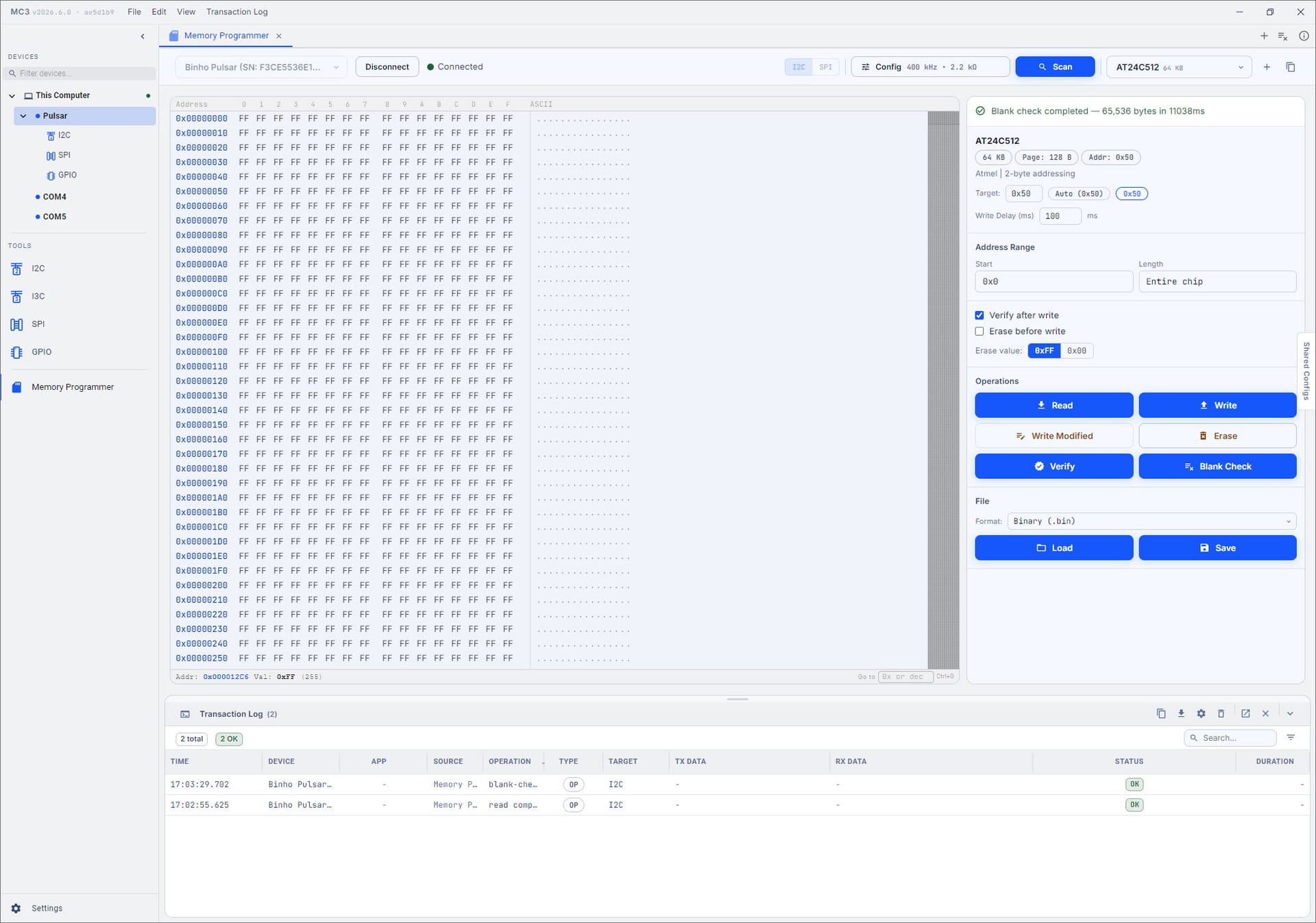
Read and Write
Compose an I²C read or write in the GUI and click to send it to the target.
Sequences
Queue transactions and replay them on demand, identical every time.
Program Memory
Read, write, verify, and erase EEPROM and FLASH memories from a visual hex editor.
// ai agents
Give your AI agent hands on real hardware.
Point Claude, or any agent, at the Pulsar’s open SDK. It scans the bus, reads and writes registers, and verifies on real silicon, not a datasheet.






// the prompt
Use the Pulsar to scan the I2C bus, read the EEPROM at 0x50, and tell me what is stored there.
One sentence in. The agent learns the API, runs it on real silicon, and reports back.
// get the pulsar
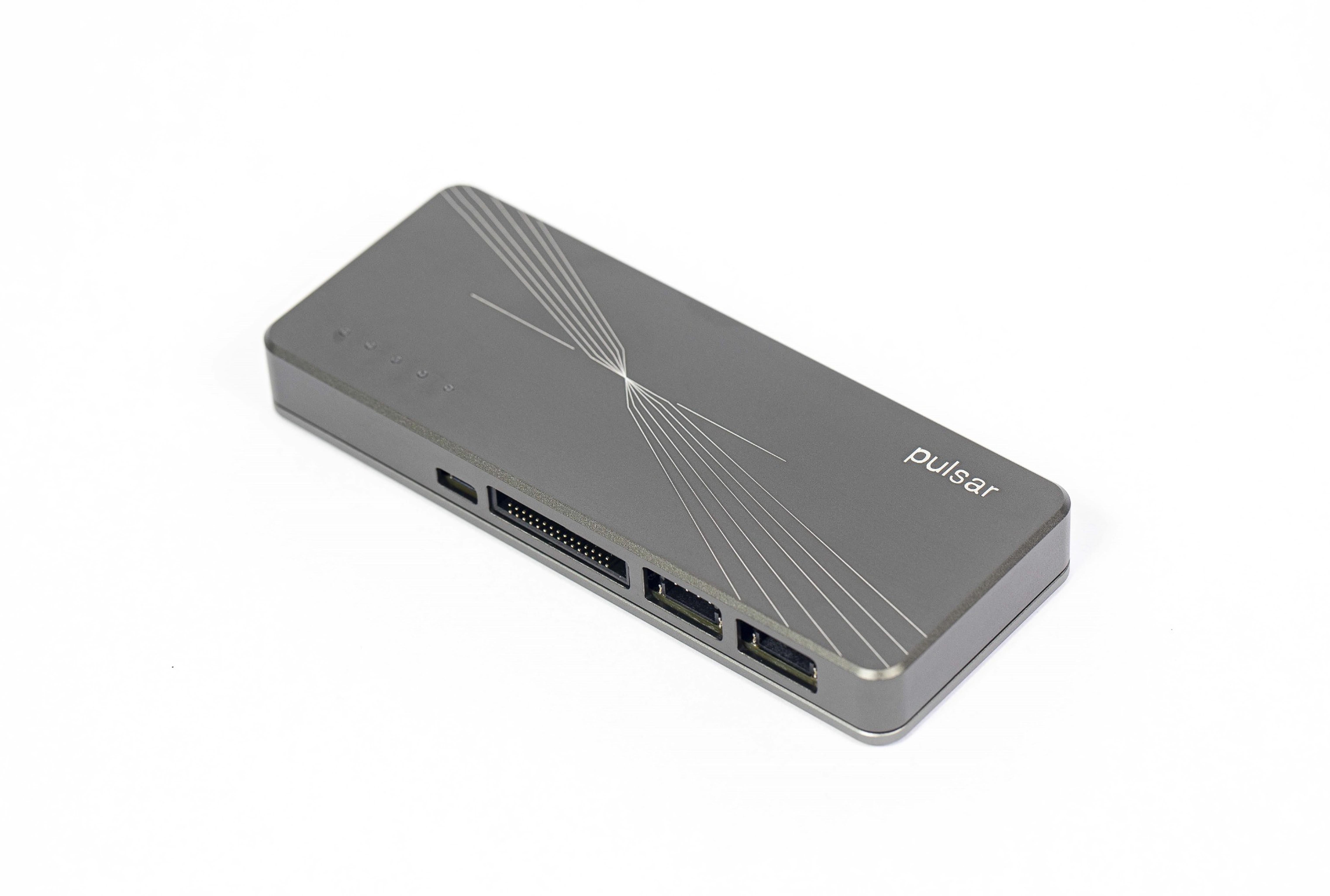
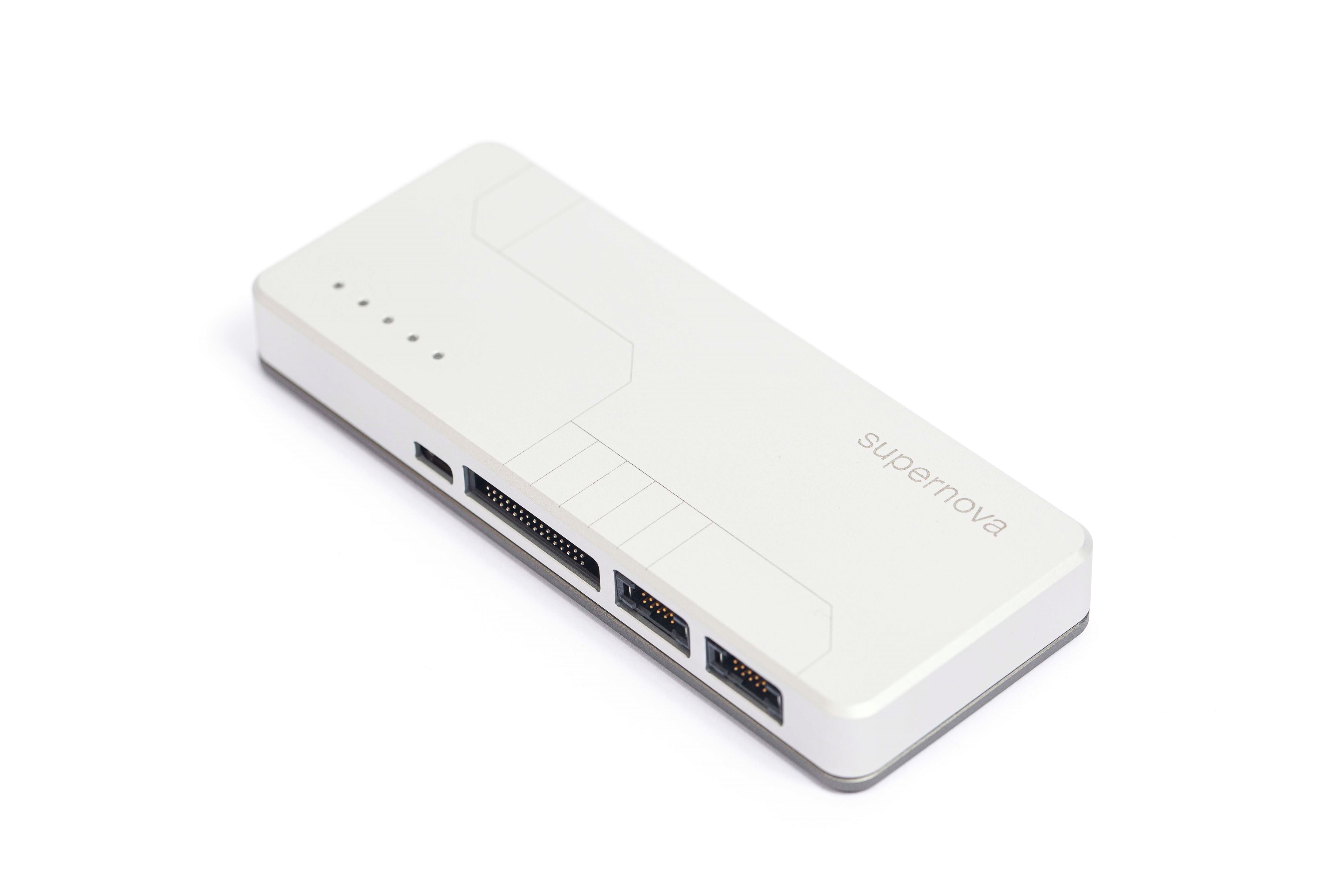
Binho Pulsar
The wide-protocol USB host adapter: six digital buses on dedicated pins, a USB 2.0 High Speed link to your PC, in a machined-aluminum enclosure.
// in the box
- Binho Pulsar adapter
- Dedicated I²C port kit
- Differential port kit (RS-485 / CAN-FD)
- Multifunction breakout kit
- USB-C cabling & mounting hardware
- Protective carry case
// hardware highlights
Engineered down to the details.
Small hardware decisions that make the Pulsar quick to bring up and easy to design in.
Built-in mounting holes
Bolt it straight into a test fixture or production jig.
Integrated Voltage Translation
1.2 to 3.3 V on-board. No external level-shifting circuitry.
Digitally programmable pull-ups
Dial in pull-up resistor values from software. No soldering.
Programmable DUT power
Set the downstream supply to your target, powered over USB.
// usb-to-i²c, explained
How a USB-to-I²C adapter works.
A USB-to-I²C adapter lets your PC talk directly to an I²C bus. Plug it into a USB port and it becomes the I²C controller: your computer composes the transactions, the adapter clocks them onto SDA and SCL, and the results come straight back. No microcontroller to program, no eval board to wire up, and no firmware to maintain.
// key considerations
Throughput, not just clock speed
A 1 MHz rating means little if the USB layer adds latency to every transaction. Bit-banged adapters crawl on big reads and full-bus scans.
Clock stretching
Plenty of sensors and MCUs hold the clock low to buy time. Adapters that ignore it cause flaky, hard-to-trace failures.
Logic levels
Modern parts run at 1.8 V or lower. A fixed-voltage adapter means adding level shifters, or risking a damaged target.
The software is the product
Most adapters treat software as an afterthought: a thin driver, Windows-only, or nothing at all. A real GUI and SDK save more time than any spec.
Hidden license fees
Some tools gate protocols or features behind per-seat or per-protocol licenses. Weigh the total cost, not the sticker price.
Room for the next project
I²C today is often SPI or UART tomorrow. One adapter that covers several buses beats buying another tool later.
// comparison
Head-to-head against the legacy tools.
Coming from a Total Phase Aardvark or an NI USB-845x? We ran the side-by-side, feature for feature and license for license.
// vs total phase
The Total Phase alternative
Replacing an Aardvark, Cheetah, or Promira? One modern adapter, with free cross-platform software and none of the per-protocol licenses.
See the comparison// vs ni
The NI USB-845x alternative
Moving off the NI USB-8451 or USB-8452? Get modern, cross-platform software and a royalty-free SDK, with no NI-845x licensing to manage.
See the comparison// trusted by engineering teams at













+ hundreds more
// faq
Common questions.
Can I program EEPROM and Flash memory with it?
Yes. Mission Control 3 has a Memory Programmer that reads, writes, verifies, blank-checks, and erases I²C EEPROM and Flash memory, with a visual hex editor, per-chip presets, and binary file load and save. The same operations run from the Python SDK, so the script that flashes one board on your desk also runs your production line.
How do I control it: GUI, Python, or C?
All three. Mission Control 3 is a no-code GUI on Windows, macOS, Linux, and the browser. The Python packages on PyPI drop it into your test scripts and CI. And the Cosmic SDK gives you native C, C#, C++, and Java for production tools, all driving the same hardware.
Software and SDK downloads Can I use it for hardware-in-the-loop testing?
Yes. Drive the target’s I²C bus from the GUI or code, replay repeatable transaction sequences, and read back real register state, then wire it into CI to validate every build against real hardware. The Pulsar can also act as an I²C target, emulating a device for controller-side validation.
Can an AI agent use it as an I²C interface?
Yes. The Pulsar ships an open, documented SDK, so Claude or any agent can scan the bus, read and write registers, and verify against a real I²C target. It is hardware-in-the-loop access for agentic embedded development.
See AI-native development Does it work on macOS and Linux?
Yes. Mission Control 3 and the SDKs run natively on Windows, macOS, and Linux, and there is a browser web app, so your test setup is not locked to one operating system.
What about pull-up resistors and voltage levels?
The Pulsar has configurable on-board pull-up resistors and level shifting from 1.2 to 3.3 V, so you can communicate with modern low-voltage I²C parts directly, without adding external pull-ups or level-shifting circuitry.
The USB-to-I²C adapter,
done right.
Order the Binho Pulsar today. In stock, shipping worldwide, and backed by US-based engineering support.
Buying for a team? Request a quote